Image-To-Text
🖼️ Image To Text (OCR using Python)
Convert images into editable and searchable text using Tesseract OCR and Python. This tool extracts text from images (like scanned documents, screenshots or handwritten notes) with high accuracy. Using CustomTkinter for graphical user interface.
📌 Technologies Used
Tkinter
Tkinter is Python’s standard GUI library used for building cross-platform desktop applications.
CustomTkinter
CustomTkinter extends Tkinter with:
- Modern, consistent design
- Light & Dark themes
- High-DPI scaling
- Fully customizable modern widgets
Together, they ensure a smooth UI experience on Windows, macOS and Linux.
| Component | Description |
|---|---|
| Language | Python 3.x |
| GUI Framework | CustomTkinter |
| Core Libraries | Tkinter, CustomTkinter |
| Software Engine | Tesseract-OCR |
🚀 Features
- 📸 Extracts text from any image file (
.jpg,.png,.bmpetc.) - 🧠 Uses Tesseract OCR for optical character recognition
- 💬 Supports multiple languages (English by default)
- 🪶 Lightweight, fast and easy to integrate into other projects
- 📂 Batch image processing supported
- 💻 Cross-platform (Windows, Linux, macOS)
🧰 Installation Steps
Step 1. Install Tesseract OCR
Download and install Tesseract-OCR:
After installation, find the installation path (for example): C:\Program Files\Tesseract-OCR\tesseract.exe
Add this path into your python script or system PATH.
Step 2. Clone the repository
git clone https://github.com/iamx-ariful-islam/Image-To-Text.git
cd Image-To-Text
Step 3. Install Python Dependencies
The requirements.txt file, lists of all the Python libraries that “image to text” depends on and installs those packages from the file:
pip install -r requirements.txt
# or
sudo pip install -r requirements.txt
Step 4. Run the Application
python main.py
📂 Folder Structure
Here’s the structure of the Image To Text project:
image-to-text/
│
├── screenshots/
├── example.png
├── main.py
├── notes.txt
│── LICENSE
├── README.md
└── requirments.txt
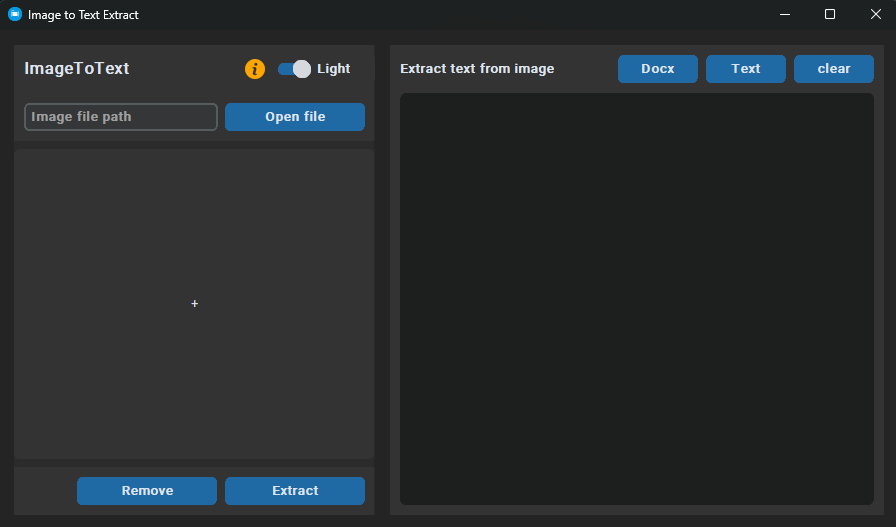
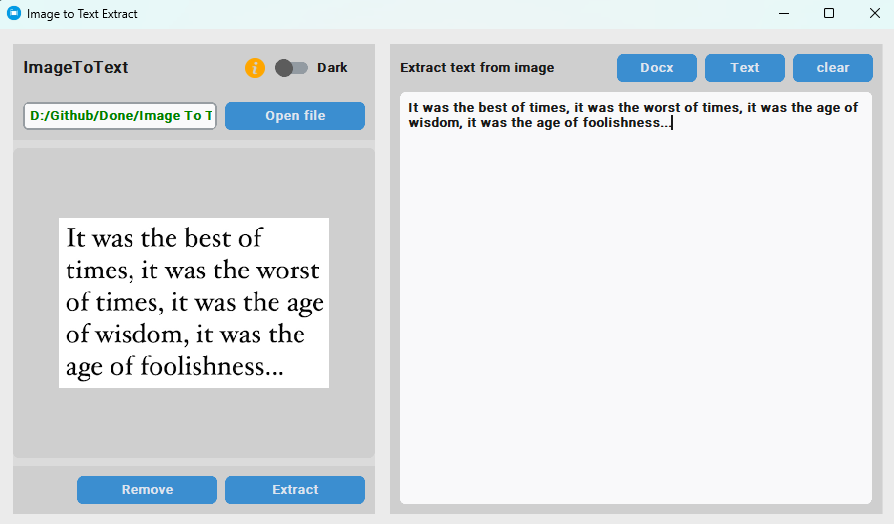
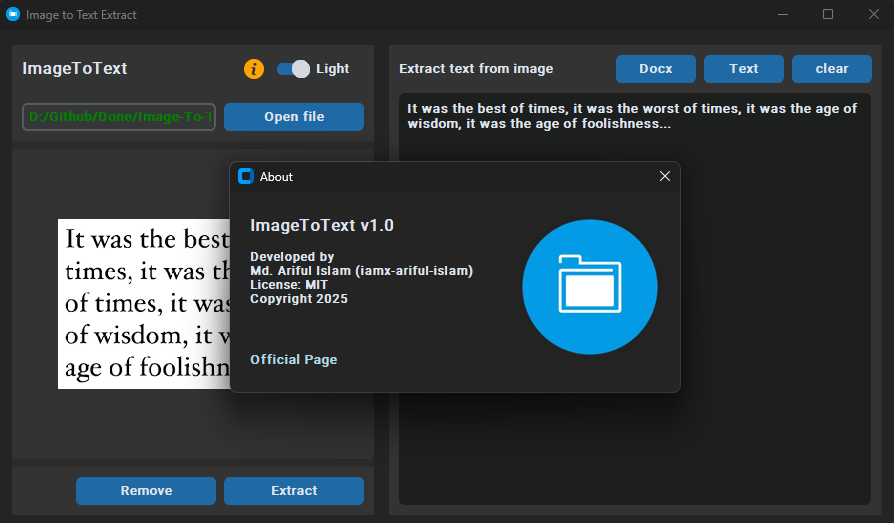
🖼️ Screenshots
Here are some screenshots of the Image To Text project:
Main Window
 Output Main Window
 About Main Window
📄 Notes File (How it works)
View full notes here: 👉 notes.txt
- Download and install ‘Tesseract OCR’ on your computer.
- Locate the ‘Tesseract OCR’ installation path after installation.
- Add the ‘Tesseract OCR’ installation path to your program configuration or environment variables.
- Install the required Python packages using: ‘pip install -r requirements.txt’
🤝 Contributing
Contributions, suggestions, and feedback are always welcome! ❤️
To contribute:
- Fork the repository
- Create a new branch (
feature/new-feature) - Commit your changes
- Push and submit a Pull Request
💬 You can also open an issue if you’d like to discuss a feature or report a bug.
🌐 For more or connect with me




📜 License
The MIT License (MIT)
💖 Thank You for Visiting!
“Good design is about making things simple yet significant”
— Md. Ariful Islam